
[Expired]BOOM mini 4-in-1 Smart Projector Built-in Google TV


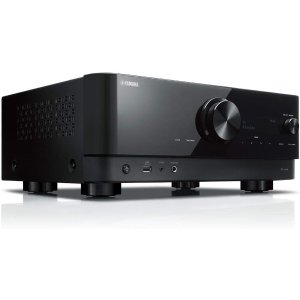


Original Deal
- Amazon now offers Aurzen new BOOM mini 4-in-1 smart projector with Google TV support, priced at $174.99 (originally $349.99), when using promo code BOOMMINI50 .
- Prime members get free two-day shipping, and regular members get free shipping on orders over $35 within the contiguous U.S.
- Buy >>
Editor's Pick:
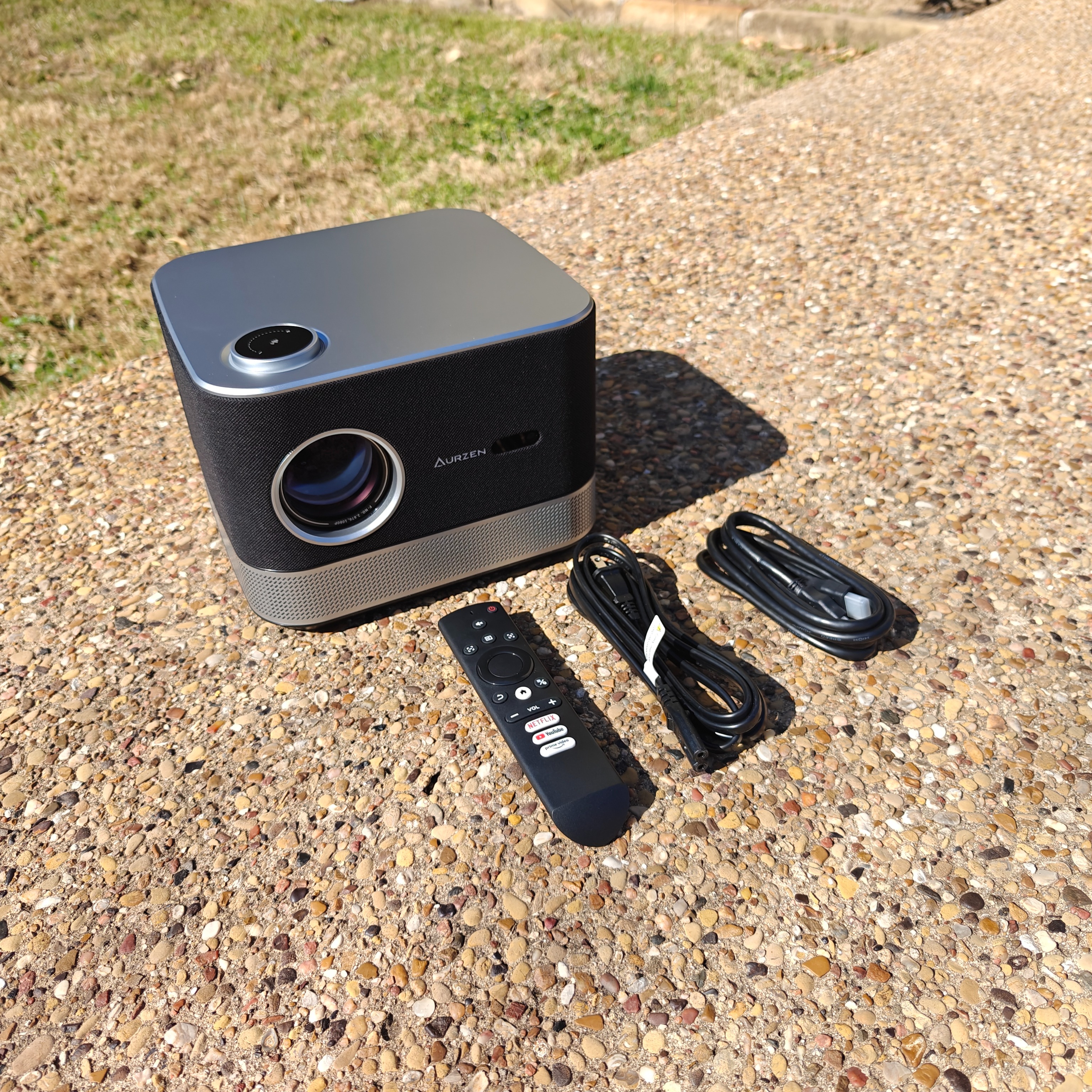
1. Built-in Google TV: BOOM mini comes with built-in Google TV, giving you access to over 10,000 apps including Netflix, YouTube, Disney+, HULU, and Prime Video without needing to purchase an additional streaming stick. With 2GB RAM + 16GB storage, enjoy smooth navigation and personalized recommendations based on your preferences.

2. ToF Instant Auto-Focus and Real-Time Keystone Correction: With real-time auto-focus and auto keystone correction, the BOOM mini delivers a crystal clear, perfectly aligned picture in seconds. Its advanced ToF technology continuously adjusts clarity, maintaining a sharp image even after accidental bumps, for an uninterrupted viewing experience.

3. Dolby-Powered Dual 10W Speakers: Experience cinema-quality sound with dual 10W high-power speakers and Dolby audio. The rear Visible Sound design delivers rich, deep bass and crisp treble, turning every movie night into an audio feast.

4. True 1080p Resolution and 500 ANSI Lumens: With 500 ANSI lumens and HDR10 technology, the BOOM mini delivers lifelike colors and crisp 1080p visuals with bright, detailed images even in well-lit environments. Say goodbye to exaggerated brightness claims—what you see is what you get.

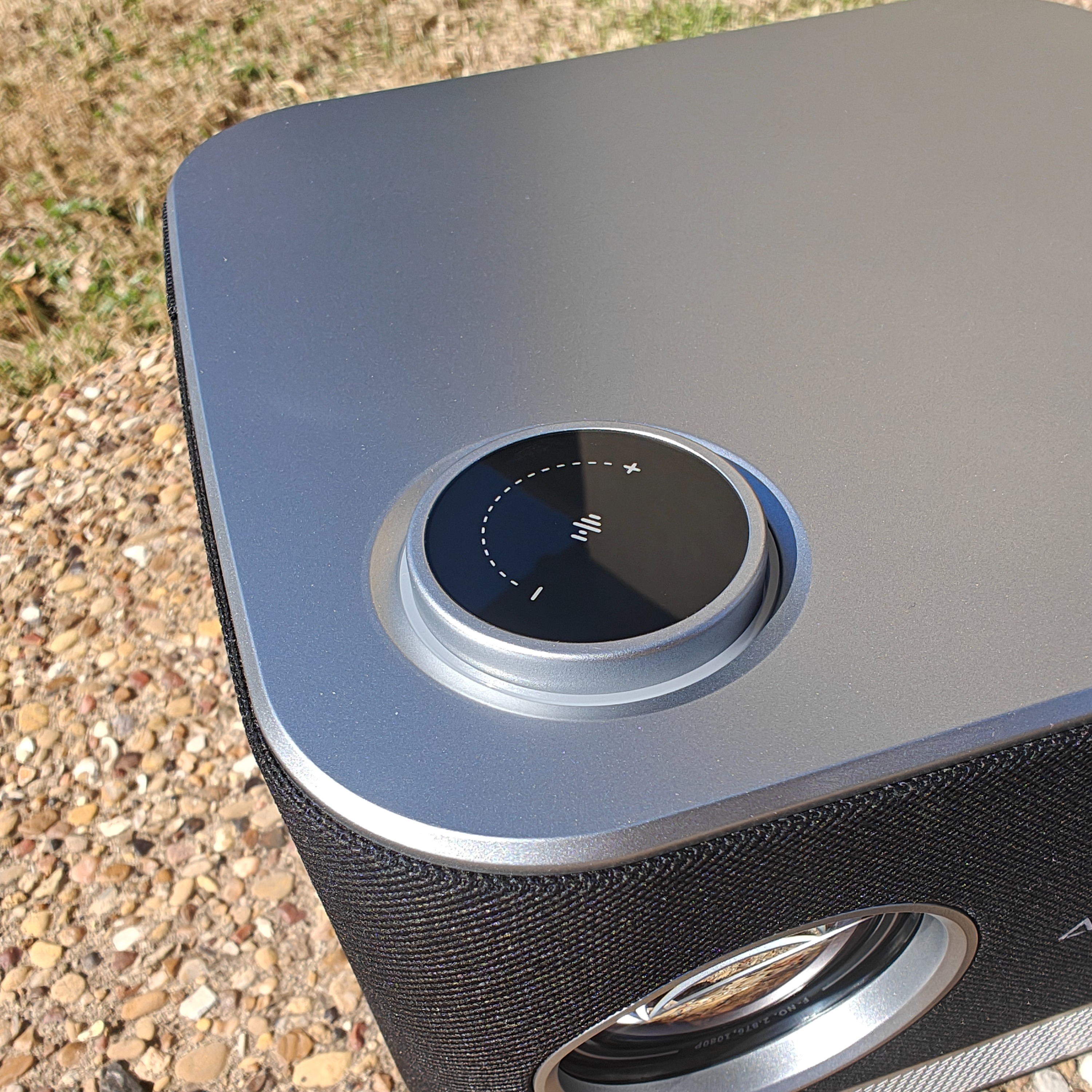
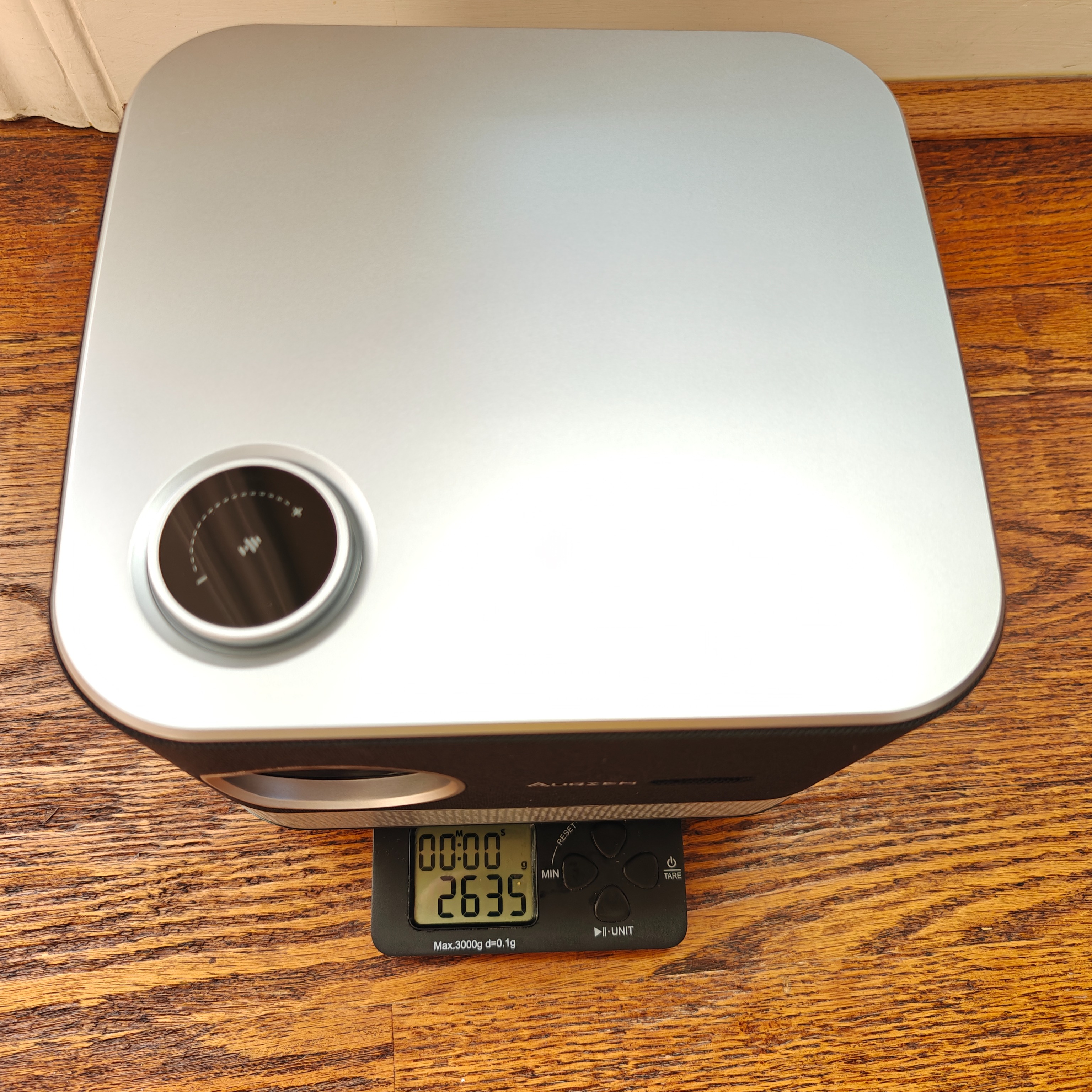
5. 110° Tiltable Gimbal Stand and Smooth Control Dial: Perfect for any comfortable viewing position whether standing, on its side, or lying flat. Its flexible stand and user-friendly controls help you achieve the optimal viewing angle and experience.
6. Two-Way Bluetooth: With two-way Bluetooth functionality, you can connect the BOOM Mini as a speaker to your phone, or connect the BOOM Mini to other high-powered speakers for an enhanced audio experience.
7. 2.4G and 5G Dual-Band WiFi: Dual-band WiFi with both 5G and 2.4G frequencies provides more stable wireless connections and faster internet speeds.
8. Wireless Screen Casting: Use Google Cast for wireless screen casting, compatible with both Android and iOS phones. Enjoy a convenient big-screen experience without extra cables or setup.
 Buy now
 Buy now
 Buy now
 Buy now


问大家
: After buying it, I feel it's a bit blurry and has ghosting, even when projecting straight on. I want to ask how to fix this. 买了之后感觉有些模糊,会有重影即使正着投,想问下怎么解决
: There's a protective film on the lens! It looked exactly like yours before I peeled it off—super clear afterward! 镜头上有个防划贴膜!我没揭掉前和你一模一样!揭掉以后巨清晰
: Hello, first and foremost, thank you very much for your support, and we sincerely apologize for the inconvenience caused. If your product experiences blurring even with direct projection, first, please ensure that your projector is as horizontal as possible and does not shake during projection. If the issue persists, you can try using our manual focus function to achieve a clear state. Regarding the ghosting issue, it's because after the product's automatic keystone correction, it will automatically adjust to project a square area, which may leave some background of the original projection shape. However, this will not affect the viewing experience. We apologize again if it caused you inconvenience, and we will do our best to improve this issue in the future. If you have any other questions, please feel free to contact us or our after-sales team at any time, and we will do our best to solve your problem. 😄😄😄 您好,首先非常感谢您的支持,也对给您带来的困扰表示诚挚的歉意。如果您的产品正投都会产生模糊的情况,首先需要您确保您的投影仪尽可能处于水平状态,且在投影过程中不会有所晃动,如果还存在这种情况,也可以使用我们的手动对焦功能尝试手动对焦达到清晰的状态。 另外关于重影的问题,是由于产品自动梯形校正后,会自动调整选择方形区域进行投影,会存在有部分原投影形状的背景,但是不会对观影造成任何影响呢,如果对您造成困扰我们也再次表示歉意,后面我们会尽可能升级改善这个问题。 有任何其他问题也欢迎随时和我们或者我们的售后团队联系,我们会尽可能解决您的问题。😄😄😄
: How do you do wireless screen casting with your phone? Please advise, customer service, thank you! 怎样手机无线投屏,请客服赐教,谢谢
: Hello, sorry for the delayed response to your question. Here is our mobile wireless screencasting operation video, which we hope will solve your problem:
网页链接>>
You can also scan the QR code on the remote control or at the bottom of the product to view other operation videos. If you have any other questions, feel free to contact us or our after-sales team anytime. We will do our best to solve your problem. 😄😄😄 您好,非常抱歉没有及时回复您的问题,以下是我们手机无线投屏的操作视频,希望能解决您的问题:
网页链接>>
你也可以扫描遥控器或者产品底部的二维码查看其他操作视频,有任何其他问题也欢迎随时和我们或者我们的售后团队联系,我们会尽可能解决您的问题。😄😄😄
回复 @jack520yan : There are many, like AiyiFan TV version, New York Cinema TV version, Duboku TV version (these have a few ads); for high definition without ads, you'll need a TV Box app like Moonlight Box Max that offers multiple lines and sources. Just research a bit and you can install them. I directly downloaded the APK file on my phone and pushed it remotely via Dangbei Market to install. 这可太多了,比如爱壹帆tv版,纽约影院tv版,独播库tv版(这些有一两个广告的);高清得还得弄个tvbox的app而且无广告,比如月光宝盒max这类可以多线多源的,反正研究一下就能安装了,我是直接在手机下载apk文件然后通过当贝市场那个远程推送推过去安装的
: Which one is better, the Boom3 or the Mini? Are they both suitable for outdoor use? boom3和mini哪款比较好 都是可以户外?
: Hello there! We're delighted that you've chosen the Aurzen brand projector~ The Boom mini has several standout advantages in terms of ease of use and outdoor adaptability: First, it comes with the Google TV system built-in, so you can start using it right out of the box without needing additional devices—super hassle-free! Second, its brightness is a genuine 500 lumens, delivering excellent clarity and color performance in dim outdoor settings (like nighttime camping or backyard gatherings). Plus, it features an instant-stop gimbal stand, allowing you to flexibly adjust the projection angle anytime when outdoors. Whether you're projecting onto a tent, screen, or wall, it quickly aligns the image—super convenient! The Boom mini would be a perfect fit~ 😊 您好呀!很高兴您选择Aurzen品牌投影仪~ Boom mini 在使用便捷性和户外适配性上有几个突出优势:首先它内置了谷歌 TV 系统,开机就能直接使用,不用额外连接设备,操作很省心;其次它的亮度是真实 500 流明,在户外较暗的环境(比如夜晚露营、庭院聚会)下,投影的清晰度和色彩表现都很出色;而且它自带即停的云台支架,户外用的时候可以随时灵活调整投影角度,不管是投在帐篷上、幕布上还是墙壁上,都能快速对准画面,特别方便~ Boom mini 会很合适呢~ 😊
: It's probably a mini. Boom3 is not a Google TV system, so you'd still need to buy a Fire Stick to plug in. Or if you only need to cast your screen, it should be fine. 大概是mini,boom3不是Google tv系统,你还得买个fire stick插上去,或者你只需投屏的话,大概可以
: Can it project directly onto a wall? How's the actual performance? 直接投墙上吗? 具体效果如何?
: Hello! Our Boom mini projector supports a true 500 ANSI lumens brightness and native 1080p resolution. The effect is great even when projected directly onto a wall. You can check out some video demonstrations on our page for a better idea. We're offering our lowest price ever right now, so if you're interested, act fast! 😄😄😄 您好,我们这款Boom mini投影仪支持真实500 ANSI流明亮度和原生1080p分辨率,直接投在墙上效果也是非常不错的哦,具体的效果可以观看我们页面的一些视频展示,当前历史最低价促销,感兴趣可以尽快入手哦!😄😄😄
: I have another projector that projects clearly on the wall, but it doesn't work well during the day; I need blackout curtains. 我有个别的投影仪投墙上听清楚的,就是白天不太行,窗帘要遮光才可以
: How to screen mirror from iPhone? 怎么用iPhone 手机投屏?
: Use Google Cast—just connect your phone wirelessly. Google Cast无线投屏,手机连一下就行
: Hello, we sincerely apologize for not responding to your inquiry promptly. Here is the instructional video for wireless screen mirroring with our phone, which we hope will resolve your issue:
网页链接>>
You can also scan the QR code on the remote control or the bottom of the product to access other tutorial videos. Should you have any further questions, please feel free to contact us or our after-sales team at any time – we'll do our utmost to assist you. 😄😄😄 您好,非常抱歉没有及时回复您的问题,以下是我们手机无线投屏的操作视频,希望能解决您的问题:
网页链接>>
你也可以扫描遥控器或者产品底部的二维码查看其他操作视频,有任何其他问题也欢迎随时和我们或者我们的售后团队联系,我们会尽可能解决您的问题。😄😄😄
: Bought it and I'm quite satisfied in all aspects! However, after projecting, it seems there's dust inside the lens. I wiped the outer lens but it's still there. Is there any way to solve this? 买到了,各方面都挺满意!但是投影出来后,貌似镜片里面有灰尘。外部镜片擦拭过了还是有,请问有什么办法可以解决么?
: Can customer service help with this? 客服能帮下么?
: Hello, we sincerely apologize for this issue. It's possible that lint or dust entered during shipping. To ensure optimal ventilation, our projector has multiple heat dissipation vents, making it challenging to completely prevent this. You may follow our dust-cleaning tutorial video (accessible by scanning QR codes on the remote or product base). For any further questions, please feel free to contact us or our after-sales team. 😄😄😄
Lens cleaning tutorial: 网页链接>> 您好,发生这样的情况非常抱歉,可能是产品在物流途中有毛屑掉落或灰尘进入,为了保证机器充分的散热通风,我们的投影仪机器会设有较多的散热孔位,所以比较难完全杜绝这种情况,你可以按照我们的操作流程视频进行灰尘清理,非常简单方便(扫描遥控器和产品底部的二维码可查看所有操作视频)。有任何其他问题也欢迎随时和我们或者我们的售后团队联系,我们会尽可能解决您的问题。😄😄😄
镜头灰尘清理操作视频:网页链接>>
: How to use Google Cast to connect your phone for screen mirroring? 如何使用google cast跟手机连接进行投屏?
: Hello, we sincerely apologize for the delayed response. Here is the wireless screen mirroring tutorial video for mobile devices, which we hope can resolve your issue:
网页链接>>
You may also scan the QR code on the remote control or product base to access other tutorial videos. For any further questions, please feel free to contact us or our after-sales team—we'll do our utmost to assist you. 😄😄😄 您好,非常抱歉没有及时回复您的问题,以下是我们手机无线投屏的操作视频,希望能解决您的问题:
网页链接>>
你也可以扫描遥控器或者产品底部的二维码查看其他操作视频,有任何其他问题也欢迎随时和我们或者我们的售后团队联系,我们会尽可能解决您的问题。😄😄😄
: Is it native 1080p? 是native 1080p么?
: Hello, thank you for your interest! Our product features Native 1080p resolution, also supports HDR10, and boasts a true brightness of 500 ANSI lumens, which can bring you an excellent visual experience. It is currently at its historical lowest price, so if you're interested, grab it as soon as you can! 😄😄😄 您好,感谢您的关注,我们这款产品是Native 1080p分辨率,同时还支持HDR10以及拥有真实的500 ANSI流明亮度,可以给您带来非常出色的视觉体验,当前是历史最低价,感兴趣可以尽快入手哦。😄😄😄
: Is this the lowest price? 这是最低价了吗?
: Hello, thank you for your interest! Our product is now back at its all-time lowest sale price. If you're interested, don’t miss out! 😄😄 您好,感谢您的关注,我们产品当前历史最低价促销回归,感兴趣可以尽快入手哦!😄😄
: Can wireless screen mirroring connect to a computer? I want to play games while lying down. 无限投屏可以连电脑吗?我想躺着打游戏
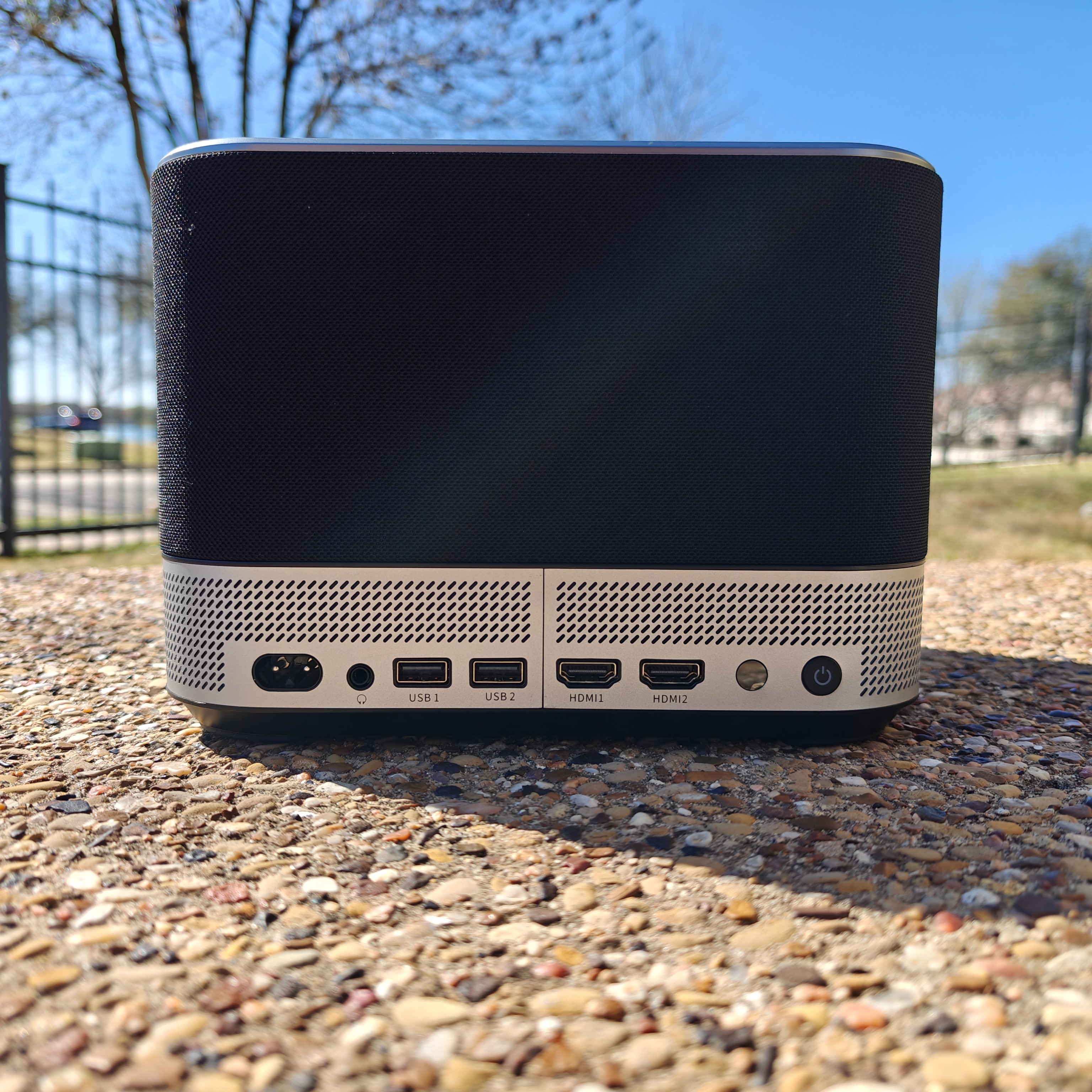
: Hello, thank you for your interest! Unfortunately, our product currently does not support wireless screen mirroring from computers. The main reason is that current technology for wireless computer screen mirroring inevitably causes some delay. Therefore, we still recommend connecting via an HDMI cable for a better gaming experience. 😁😁😁 您好,感谢您的关注,非常遗憾我们这款产品当前并不支持电脑无线投屏哦,主要原因是当前市面上的技术电脑无线投屏都会有不可避免的延迟,所以还是更建议您通过HDMI有线去连接,这样也能获得更好的游戏体验。😁😁😁
最新评论 167
: A bit pricey, the cover version costs over a hundred, which is about right. 有点贵,封面款一百多差不多
: The strength is not enough, the product is pretty good, but it's not worth the price. 力度还不够,产品还不错,就是不太值这个价
: Is the one on the cover the historical low price? 封面这款是史低价吗
: It should be, previously 169. 应该是,之前169
: It feels like it's quite hard to find a projector at the same price point that can outperform those from Mainland China. 感觉同价位好像挺难打的过国内的投影仪
: Waiting for a historic low price on the mini to give it a try 蹲一个mini史低价试试
: I can't find where to play the video after inserting the USB drive. 我插u盘找不到在哪里播放视频
: Hello there! We're so glad you chose the Aurzen brand projector~ When you want to watch video files from your USB drive, please follow these steps: Insert the USB drive and open the projector's built-in "MultiMediaPlayer" software to play the files. If you have any other questions, feel free to contact us or our after-sales team anytime. We'll do our best to resolve your issues. 😄😄😄 您好呀!很高兴您选择Aurzen品牌投影仪~ 当您想查看您的U盘里面的视频文件,请这样操作。 插入U盘,打开投影仪自带的软件“MultiMediaPlayer”播放。 有任何其他问题也欢迎随时和我们或者我们的售后团队联系,我们会尽可能解决您的问题。😄😄😄
回复 @AurzenOfficial : What are the main differences between the Boom Mini and Boom 3, specifically in terms of picture quality? I plan to set it up for front projection and already have my own sound system. 请问下boom mini和boom3区别大吗,我指画质,准备固定摆放正投,自己有音响
: Give me a discount code to buy one and try it out. 来个折扣码买一个试试
: Which one is better, the Boom3 or the Mini? Are they both suitable for outdoor use? boom3和mini哪款比较好 都是可以户外?
: Hello there! We're delighted that you've chosen the Aurzen brand projector~ The Boom mini has several standout advantages in terms of ease of use and outdoor adaptability: First, it comes with the Google TV system built-in, so you can start using it right out of the box without needing additional devices—super hassle-free! Second, its brightness is a genuine 500 lumens, delivering excellent clarity and color performance in dim outdoor settings (like nighttime camping or backyard gatherings). Plus, it features an instant-stop gimbal stand, allowing you to flexibly adjust the projection angle anytime when outdoors. Whether you're projecting onto a tent, screen, or wall, it quickly aligns the image—super convenient! The Boom mini would be a perfect fit~ 😊 您好呀!很高兴您选择Aurzen品牌投影仪~ Boom mini 在使用便捷性和户外适配性上有几个突出优势:首先它内置了谷歌 TV 系统,开机就能直接使用,不用额外连接设备,操作很省心;其次它的亮度是真实 500 流明,在户外较暗的环境(比如夜晚露营、庭院聚会)下,投影的清晰度和色彩表现都很出色;而且它自带即停的云台支架,户外用的时候可以随时灵活调整投影角度,不管是投在帐篷上、幕布上还是墙壁上,都能快速对准画面,特别方便~ Boom mini 会很合适呢~ 😊
: It's probably a mini. Boom3 is not a Google TV system, so you'd still need to buy a Fire Stick to plug in. Or if you only need to cast your screen, it should be fine. 大概是mini,boom3不是Google tv系统,你还得买个fire stick插上去,或者你只需投屏的话,大概可以
: Okay 好吗
: Hello there! We're so glad you're interested in the Aurzen projector~ The Boom mini comes with the Google TV system built-in, so you can start using it right away without connecting any extra devices—super convenient! With a true brightness of 500 lumens, it delivers excellent clarity and vibrant colors in dim outdoor settings (like at night or under tree shade). You can see the real-life effect in the sample video on the product page~ Plus, it features an instant-stop gimbal stand, making it super flexible to adjust angles when projecting onto tents, walls, or screens outdoors. Even better, it’s equipped with Tof auto-focus technology, so adjusting the image won’t interrupt playback—focus and keystone correction are done automatically in under 3 seconds, no need for manual tweaking. Super hassle-free for outdoor use! I’m sure you’ll also love its 20W speaker, designed with a transparent visual aesthetic, offering sound quality that built-in speakers can’t match. If you're interested, grab one soon! 😄😄😄 您好呀!很高兴您关注 Aurzen投影仪~ Boom mini 内置了谷歌 TV 系统,开机不用额外连接设备就能直接用,特别方便;它的亮度是真实 500 流明,在户外较暗的环境(比如夜晚或树荫下),投影的清晰度和色彩都很出色,页面里的实拍视频能直观看到效果~ 而且它自带即停的云台支架,户外投在帐篷、墙面或幕布上时,随时调整角度都很灵活;更贴心的是,它搭载了 Tof 无感对焦技术,调整画面的时候不会中断播放,3 秒内就能自动完成对焦和梯形校正,不用手动反复调试,在户外用起来特别省心~我相信你也会喜欢它的20W的音响,它设计为可视化的音箱,音质是内置音响不可以比的。兴趣可以尽快入手哦!😄😄😄
回复 @AurzenOfficial : I can't find where to play the video after inserting the USB drive. 我插u盘找不到在哪里播放视频
: Is this any good? 不知道好不好?
: Hello, our Boom mini projector supports a true 500 ANSI lumens brightness and native 1080p resolution, delivering excellent performance even when projected directly onto a wall. For specific effects, you can check out some video demonstrations on our page. It's currently on sale at the lowest historical price, so if you're interested, don't hesitate to grab one now! 😄😄😄 您好,我们这款Boom mini投影仪支持真实500 ANSI流明亮度和原生1080p分辨率,直接投在墙上效果也是非常不错的哦,具体的效果可以观看我们页面的一些视频展示,当前历史最低价促销,感兴趣可以尽快入手哦!😄😄😄
: How to screen mirror from iPhone? 怎么用iPhone 手机投屏?
: Use Google Cast—just connect your phone wirelessly. Google Cast无线投屏,手机连一下就行
: Hello, we sincerely apologize for not responding to your inquiry promptly. Here is the instructional video for wireless screen mirroring with our phone, which we hope will resolve your issue:
网页链接>>
You can also scan the QR code on the remote control or the bottom of the product to access other tutorial videos. Should you have any further questions, please feel free to contact us or our after-sales team at any time – we'll do our utmost to assist you. 😄😄😄 您好,非常抱歉没有及时回复您的问题,以下是我们手机无线投屏的操作视频,希望能解决您的问题:
网页链接>>
你也可以扫描遥控器或者产品底部的二维码查看其他操作视频,有任何其他问题也欢迎随时和我们或者我们的售后团队联系,我们会尽可能解决您的问题。😄😄😄
: 500 ANSI lumens is too dim—1500 would be acceptable 500ANSI流明太低1500还差不多

: Hello! Our 500 ANSI lumen + 1080p Boom Mini offers great value. Genuine 1000+ ANSI models cost $350+ due to hardware requirements. Currently at historic low price—perfect time to buy! 😊 您好呀!非常理解您对亮度的关注~ 咱们这款 Boom mini 投影仪确实是真实 500 ANSI 流明,搭配原生 1080P 分辨率,直接投墙就能有不错的清晰度和色彩表现,页面里的实拍视频可以直观看到效果呢~ 其实行业里有个小细节想和您说下:真正达标的 1000+ANSI 流明投影仪,因为硬件成本(比如高规格光源、散热模块),市场价基本都要 350 美金以上。咱们这款定价更亲民,就是想在保证真实参数(不虚标亮度和分辨率)的基础上,让更多朋友用实惠价格体验到投影的乐趣~ 现在刚好是历史最低价促销,性价比真的很能打,感兴趣的话可以趁活动入手哦~ 😊
: Been hesitating for so long about buying this... 纠结好久要不要买
: Returned it—not worth it. I'd rather spend more for better quality. 买了又退了,不太行,我宁可多花几百买更好的。
: Great speakers, but the image quality... 音响不错。但是画面…
: Keeps showing "No Signal" and the remote isn't responding—what to do? 一直显示无信号 遥控也没反应怎么办
: Dear customer, please: 1) Check WiFi connection 2) Ensure remote batteries are properly installed. For non-Bluetooth mode, point the remote at the IR sensor. Pairing via Bluetooth improves convenience. 尊敬的买家您好,发生这样的情况我们非常抱歉,请检查WiFi是否连接好;遥控器请检查是否正确安装好电池,当您没有用蓝牙连接遥控器的时候,需要遥控器对准机器上的红外头才能使用,你可以用投影仪蓝牙连接好遥控器,这样你可以更加方便的使用遥控。
: With only 2GB RAM, it lags badly—can't install many apps before freezing. 2gb的内存,其实很卡了,安装不了多少软件就卡住了
: Dear customer, we sincerely apologize for this confusion. Our product has 2GB RAM (for operation) + 16GB storage (for app installation)—they function independently. 尊敬的买家您好,发生这样的情况我们非常抱歉,像您解释一下:我们产品配置是2+16G,2G是运行内存,和安装软件没有是没有任何关系的,安装的APP占用的是16G的内存。
: Smart projectors on sale now! 智能投影机打折了
: Now's the perfect time to buy! 🎬 BOOM Mini features Google TV + 500 ANSI lumens + 20W Dolby audio—plug-and-play cinema experience with flexible positioning. Unbeatable value in its class! 亲爱的买家,感谢您的耐心等待和支持!现在入手正是最佳时机🎬BOOM Mini搭载Google TV系统+500流明亮度+20W杜比音响,无需调试开机即享影院体验,自由云台让您躺着也能看大片~同价位画质音效双冠王,观影超值之选!
: Why aren't there apps to watch the latest Chinese movies/TV shows? 为什么没有可以观看最新中国电影电视剧的app呢
: With Google TV, you can try installing iYiFan. google tv的话应该可以弄爱一帆的
: Dear customer, we apologize for the delayed response. Chinese streaming apps restrict access outside Mainland China due to licensing. Some content is available on YouTube. 尊敬的买家您好,非常抱歉没有及时回复您的问题,由于中国电影电视剧的app只拥有本土播放权,会通过IP检测限制境外访问。国内的有些影片在YouTube上也是可以看的。
: The brightness still feels low. Saw the NEBULA Cosmos Laser 4K Projector on eBay for $760 pre-tax and ordered one to test. 觉得亮度还是低,在ebay上看到NEBULA Cosmos Laser 4K Projector 在打折,760税前,下单了一台试试看
: Thank you for your feedback! We understand brightness needs vary. For optimal performance: 1) Use in dark environments 2) Adjust brightness settings 3) Maintain ventilation. Enjoy your new NEBULA projector! For any issues, our team is here to help. 亲爱的顾客,感谢您的反馈与选购!非常抱歉没有及时回复您的问题,关于亮度的问题,我们非常理解不同使用场景对亮度的需求差异。您提到在 eBay 下单了 NEBULA Cosmos Laser 4K 投影仪,相信您一定很期待它的表现~ 如果您在使用我们的投影仪时觉得亮度不足,可能是以下原因导致的,我们为您整理了优化建议: 1.调整使用环境 尽量在较暗的环境中使用(如拉窗帘、关闭强光),减少环境光对画面的影响,亮度视觉效果会更突出。 避免投影仪直射强光光源(如窗户、灯光),以免画面发白。 2.设置中调节亮度参数 3.保持设备散热与清洁 无论您使用哪款设备,若在操作中遇到任何问题,都可以随时联系我们的客服团队,我们会提供专业的解决方案~期待您后续的使用反馈,祝您观影愉快!
: Ah, it must be a returned unit, and the cooling noise is ridiculously loud. Is yours that loud, or is it just mine? Measuring it with my phone close up is 37-38 dB, even a meter away it's 22-23 dB. Is this normal? 啊,果然是别人退的,而且运行时的散热声音也忒大了,你们的大不不大,是本来就是这还是只有我这个大,手机测分贝贴跟前37、8,离一米远也有22、3。正常吗?
: Hello, we sincerely apologize for this situation. Due to Amazon's 30-day no-questions-asked return policy, some returned items may be reassessed and relisted by Amazon. We deeply regret any inconvenience caused, but we guarantee that every unit shipped to Amazon is brand new. Our projector operates at approximately 35dB in Standard mode, 33dB in Eco mode, and 37dB in High Brightness mode (subject to slight variations based on distance). These noise levels are generally lower than most projectors in the same price range! 🎶 You can immerse yourself in the big-screen experience without disturbance. For even quieter operation, we recommend using Standard or Eco mode. 📽😊 您好,发生这样的情况我们非常抱歉,由于亚马逊的30天无理由退货政策,确实存在部分商品用户退货后亚马逊评估重新上架的可能,对您造成的困扰我们深感歉意,但是我们确保我们每一个发往亚马逊的库存都是全新的。我们产品风扇噪音在标准模式下大概35dB,eco模式下33dB,高亮模式下37dB(根据机器与人的距离可能略有差异),通常来说属于较低水平,比同价位的投影仪更安静哦~🎶 观影时基本不会受到干扰,放心沉浸在大屏体验里吧!当然如果您需要更低的噪音,建议可以使用标准或者eco模式观影哦。📽😊
: Yes, the cooling noise seems quite loud. 是的,感觉散热声音挺大
: How to use Google Cast to connect your phone for screen mirroring? 如何使用google cast跟手机连接进行投屏?
: Hello, we sincerely apologize for the delayed response. Here is the wireless screen mirroring tutorial video for mobile devices, which we hope can resolve your issue:
网页链接>>
You may also scan the QR code on the remote control or product base to access other tutorial videos. For any further questions, please feel free to contact us or our after-sales team—we'll do our utmost to assist you. 😄😄😄 您好,非常抱歉没有及时回复您的问题,以下是我们手机无线投屏的操作视频,希望能解决您的问题:
网页链接>>
你也可以扫描遥控器或者产品底部的二维码查看其他操作视频,有任何其他问题也欢迎随时和我们或者我们的售后团队联系,我们会尽可能解决您的问题。😄😄😄