
xTool O1 Omni Printer
- xTool now offers the O1 Omni 4-in-1 multifunction full-color printer, Black Friday price $2249 (originally $2499).
- Sitewide orders over $599 get $70 off; over $1,299 get $150 off; over $2,299 get $250 off
over $3,999 get $500 off; over $5,599 get $700 off; over $8,999 get $1,500 off; over $12,799 get $2,500 off - During the 11.11 & Black Friday event, the O1 Omni is expected to start shipping in late December;
- All other products ship as normal, with free shipping within the US.
- Offer ends December 4 at 11:59 PM.
- Buy >>
To participate in the lucky draw, you must:
- Order screenshot: A screenshot of the order placed during the event period (not a screenshot of the shopping cart, product page, or other unrelated content).
- Comment: The total number of comments must exceed 10 characters. Meaningless spam (such as only emojis, requests for giveaways, etc.) and comments not related to discount discussions will be deemed non-compliant and will not be retained.
When gifting someone who loves anime, besides buying merch, what other creative ideas are there? Put favorite scenes into picture frames, turn photos of beloved pets into keychains, and give ordinary cups and laptop cases your own personal style. Take a look at the images below—from everyday carry items to desktop decor, swap the design and the whole feel changes.
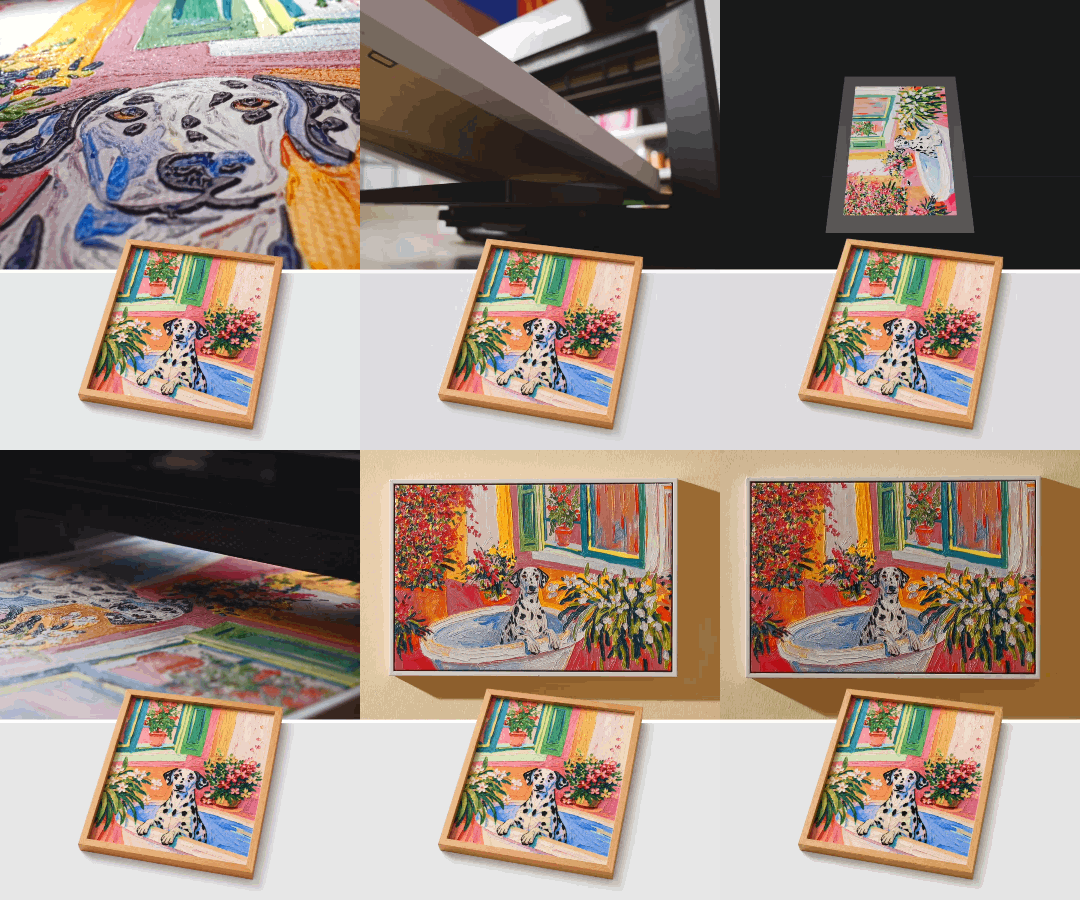
From decorative prints to transparent cards and keychains, the same creative idea can be applied to different objects. These are all printing application examples from the xTool O1 Omni.
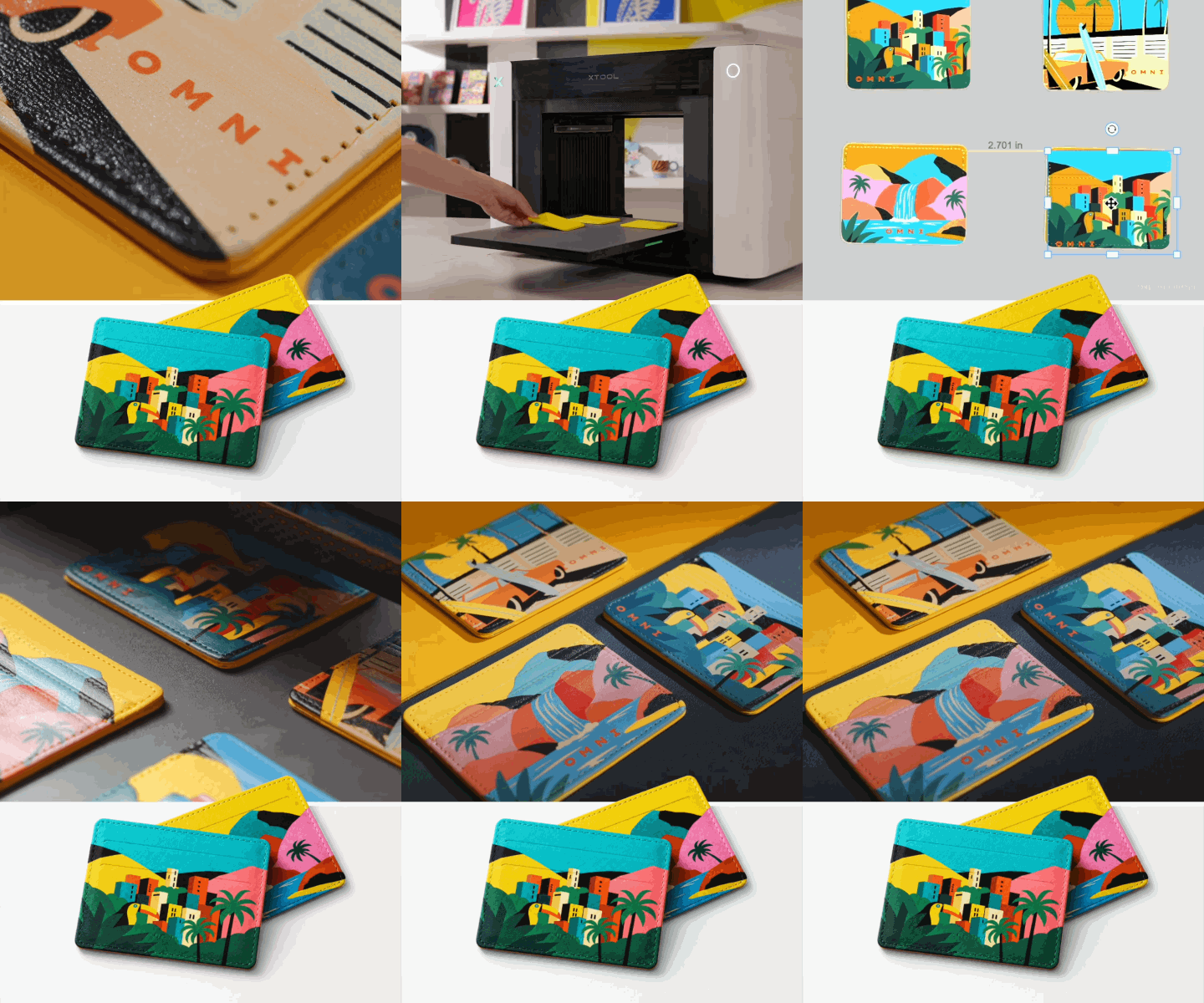
If you run a small shop, take custom orders, or want to add a product line to your studio, this machine is worth a closer look.
| Product Overview | Specs & Features in Detail |
|---|---|
| 🌟 4-in-1 All-Around Crafting | UV Direct Print: Print directly onto hard surfaces like phone cases, acrylic, and wood boards UV DTF (Transfer Stickers): Easily apply to curved or irregular items like cups DTG (Direct to Garment): Print directly onto cotton T-shirts or canvas bags for a breathable, natural feel DTF (Film Heat Transfer): Works on any fabric—just print onto film and heat transfer |
| ⚙️ Core Configuration & Precision | Features an industrial-grade Epson F1080 printhead (dual-head design on the upgraded version), 720×1440 dpi. It prints not only flat surfaces but also up to 7mm (0.28 in) raised relief with a realistic tactile feel. |
| 🎨 Ink System & Safety | Supports "color ink + white ink + 3-in-1 varnish (for matte, gloss, and gold foil effects)," with dedicated fluorescent colors on the fabric version. All inks are certified to top international eco-safety standards—safe for home or indoor studio use. |
| 📐 Work Area | Standard version (330×122 mm / 13×4.8 in): Great for everyday small items and merch samples Large format version (up to 330×420 mm / 13×16.5 in): Full A3 size, ideal for large pieces or batch production |
| 👁️ Smart Positioning & Sizing | Built-in ultra-HD vision camera with strict ±0.2 mm positioning accuracy. No tedious manual alignment—just place your item inside and it precisely locates and prints. |
A coffee shop can start with custom logo cups and event giveaways; a pet-related studio can try photo keychains and memorial prints; custom shops taking on wedding, graduation, or housewarming gifts can design small-batch pieces around names, dates, and color schemes.

The O1 prints colorful designs on compatible materials like acrylic, wood, metal, and glass, and can work with accessories to produce transfer stickers. Make samples, see the real thing, then adjust styles based on feedback—perfect for small shops that want to bring sampling and some production in-house.

When choosing, pick the version based on what you plan to make: Single UV is for hard materials; Dual UV adds flexible materials and UV applications like fluorescent effects; if you need garment printing, go with DT+UV. Note that the three versions have fixed factory configurations and cannot be upgraded to each other later.

Rotary attachments, laminating equipment, and heat press equipment are also best equipped according to your use case, and creating assembled designs requires pre-cut materials or a compatible cutting machine. Factor ink, blank materials, and post-processing into your budget to build a complete production setup. Order early this Black Friday, and use the waiting time to prepare your designs and materials.


